
 Daniel
Table of contents
- Introduction
- Goal
- Setting up our working environment
- Issues with certificate validation
- DNS synchronization to resolve certificate validation
- Conclusion
Introduction
Terraform is an open-source Infrastructure as Code (IaC) tool that allows you to define and provision infrastructure using code, hence enabling automation. Terraform is regularly used to manipulate hosted zones (HZ), which, using AWS’s jargon, are containers for NS records. Records contain information about how you want to route traffic for a specific domain. Terraform can easily manipulate HZs, create new hosted zones, remove an existing zone, or automatically update the information of an existing HZ. Manipulating HZs is necessary, for example, when dealing with SSL/TLS certificates required to set up services such as CloudFront, which supports HTTPS connections. With Terraform and AWS Certificate Manager (ACM), one can automatically validate certificates when setting up services.
Unfortunately, when you set up a new hosted zone with Terraform, AWS assigns a random list of Name Servers to the zone. Name server matching between a domain and a hosted zone is critical, becoming a problem when automatically validating certificates. The certificate validation will not be approved unless the DNS records in the hosted zone match those in the registered domain. This can be fixed by hand, using the AWS GUI, by copying the list of NS from the hosted zone (AWS Route53/Hosted Zone/Newhosted zone created) and pasting them into the domain registration (Route53/Registered Domains). However, this solution breaks the automatic workflow that characterizes Terraform, as while the domain is being validated, we need to access the AWS GUI and copy the NSs from the HZ to the Domain.
Goal
Setting up our working environment
Now I will set up my working environment, cloning the repo, setting up Terraform’s backend, and the variables across the project.
First, I will clone the corresponding GITHub repo and update the cloud profile data.
Cloning the repo
I will start by cloning the repo and updating the AWS profile info
git clone https://github.com/TorresAWS/ns-syncronization
cd global/providers/
vi cloud.tf     # make sure you update your AWS profile info according to your $HOME/.aws/credentials
Starting Terraform’s backend
Now I will start Terraform’s backend. I will update the names in the backend to avoid conflict:
cd global/tf-state/
vi backendname.tf     # make sure you update the bucket and dynamodb names
bash start.sh    # at this point the backend is setup
Terraform variables
Now that the backend is started, I will define all Terraform variables:
cd global/variables/
vi domain-var.tf     # make sure you update your domain name
bash start.sh    # at this point the backend is setup
Issues with certificate validation
Now, I will demonstrate how the problem arises. I will create a hosted zone without syncing the DNS between the HZ and the domain. Make sure your registered domain is in the same account as the newly created hosted zone. Now, we will execute Terraform to create the new hosted zone.
cd vpcs/zone
vi route53-domains_registered_domain.tf # make sure this file is commented
bash start  # at this point, the new hosted zone is created
At this point, if you enter AWS GUI and go to Route53/hosted zones, you should be able to see the newly created zone. After the zone is created, I will attempt to validate a certificate using ACM, the AWS service in charge of validating certificates. Note that in the context of Amazon Route 53 is just a container of DNS records. In that container, you could create, for example, an A (IPv4 address) or AAAA (IPv6 address) record, a CNAME (canonical name, an alias), or MX (mail exchange). And much more. To validate the certificate, I will do:
cd vpcs/certs
bash start.sh # the validation will never be completed
You should see that the certificate is never validated, taking more than hours.
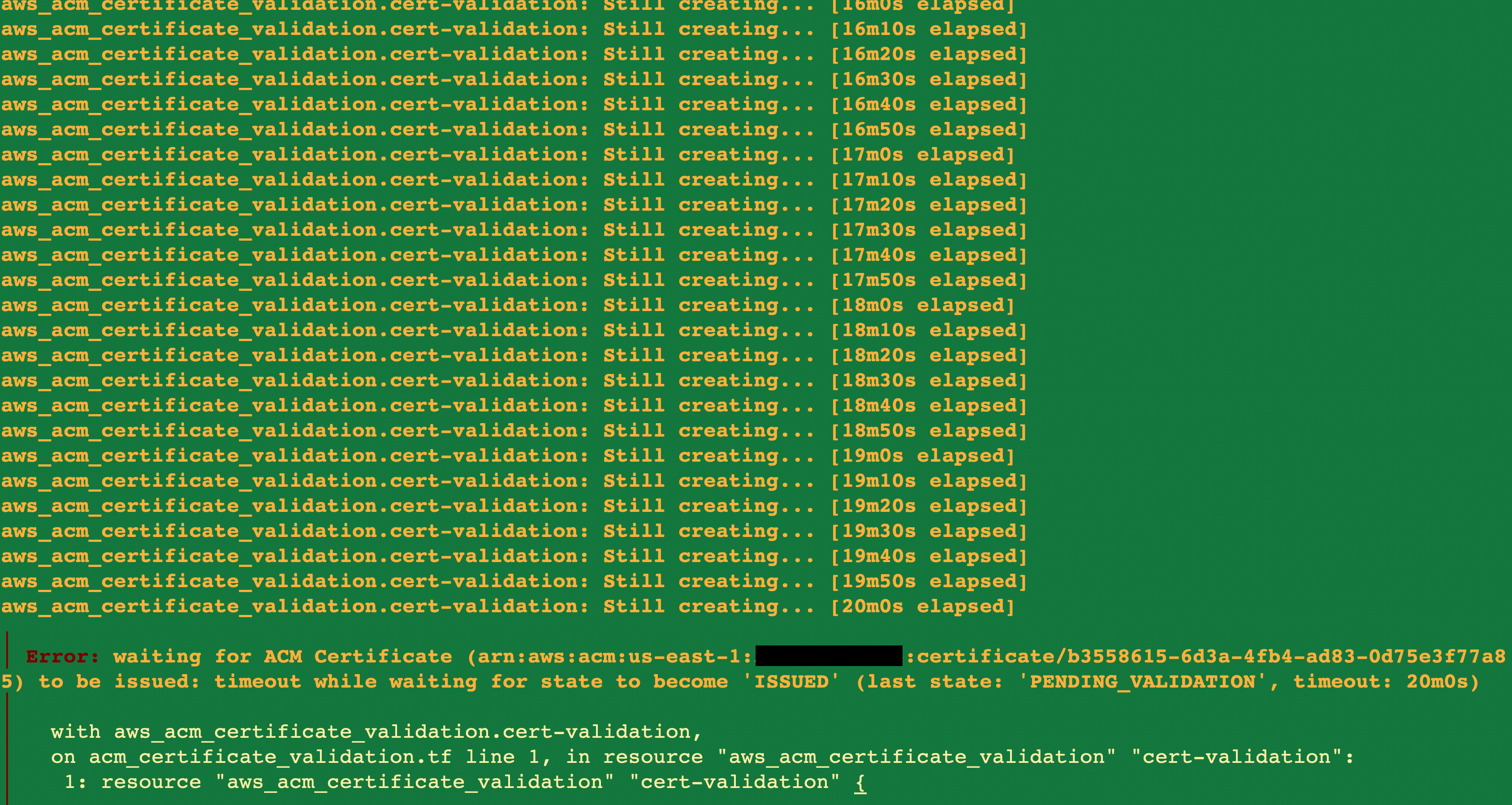
Screenshot of the certificate deployment before DNS synchronization
The reason for this problem is that AWS assigns a random set of DNS to newly created Hosted Zones, not necessarily corresponding to those listed under the domain configuration.
If you take a look at the DNS certificates listed on the HZ
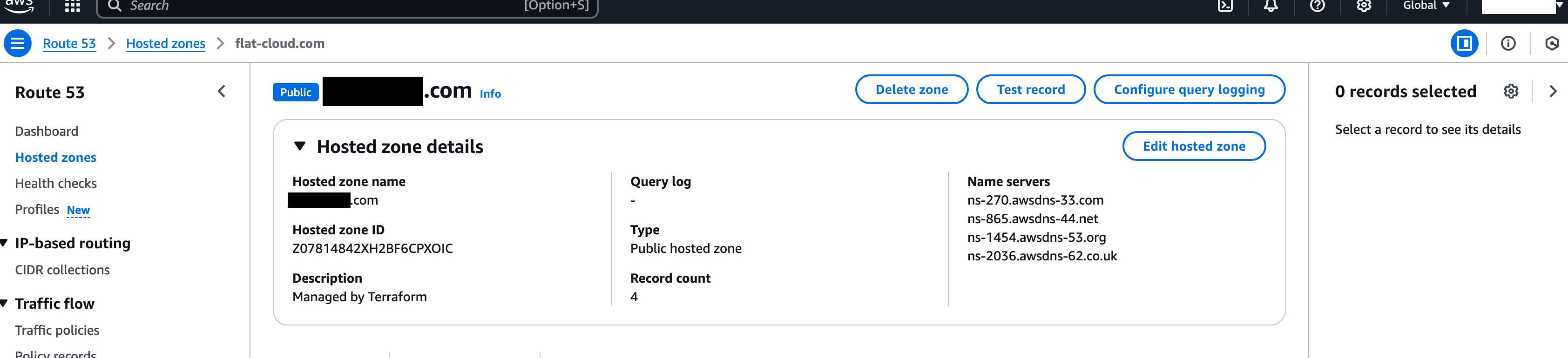
DNS listed on the Hosted Zone
And compare those with the DNS certificates listed on the domain, you will see they don’t match.
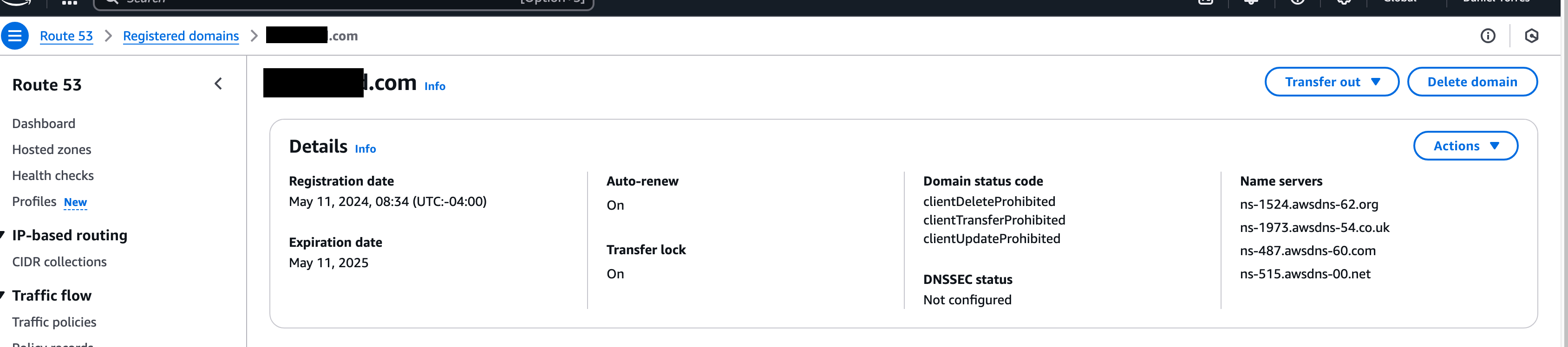
DNS listed on the Domain
DNS syncronization to resolve certificate validation
Now we will destroy all infrastructure created and synchronize the Name Servers between a registered domain and a hosted:
cd vpcs/certs ; terraform destroy --auto-approve
cd vpcs/zone ; terraform destroy --auto-approve ;
cd vpcs/zone ; vi route53-domains_registered_domain.tf # make sure this file is UNcommented
bash start.sh
cd vpcs/certs ; bash start.sh
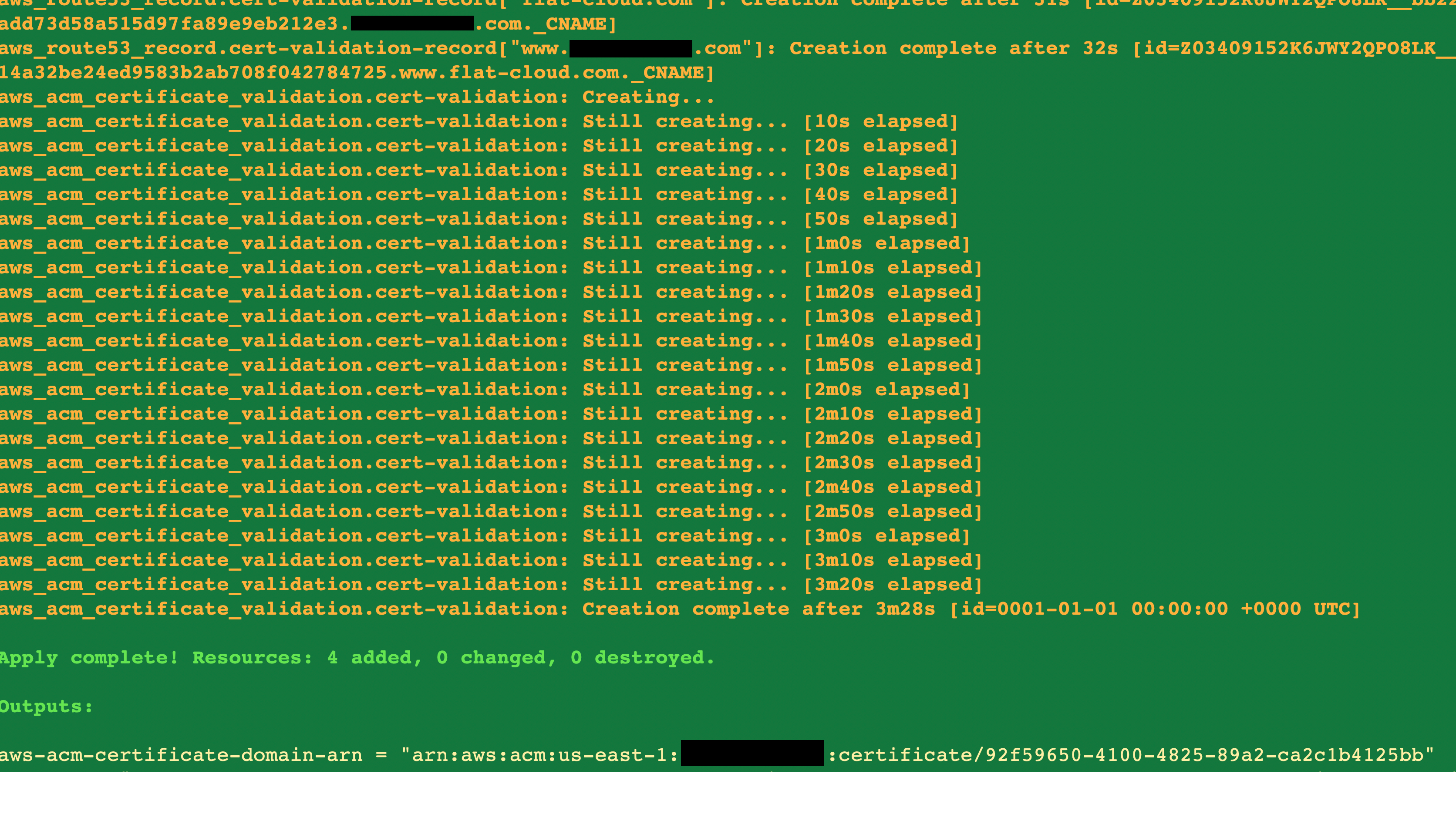
Screenshot of the certificate deployment after DNS synchronization